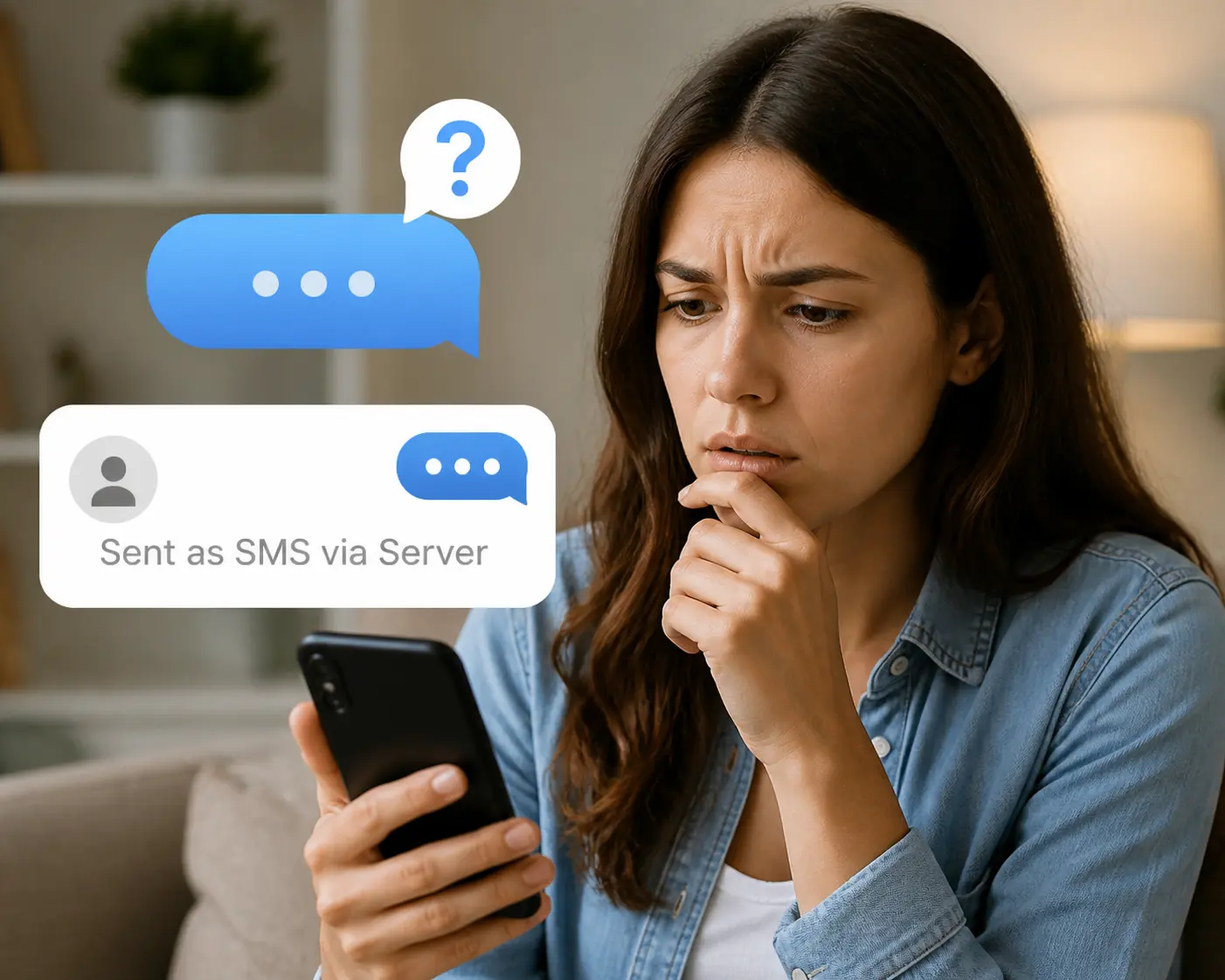
You send a message and notice something unusual underneath it. Instead of the standard delivery confirmation, your phone displays “Sent as SMS via Server.” No errors. No failed delivery. Just that small, unfamiliar label sitting beneath your message.
For most people this raises an immediate question: what does “Sent as SMS via Server” mean, is the message actually delivered, and should you be concerned? The short answer is that it is generally nothing to worry about. The longer answer explains exactly why it happens, how to fix it, and the one situation where it signals a genuine security risk for businesses using business text messaging or VoIP infrastructure.
What Does “Sent as SMS via Server” Mean
“Sent as SMS via Server” means your message was routed through an intermediary server rather than sent directly from your device over the standard cellular network. Instead of travelling from your SIM card through your carrier to the recipient, the message passed through a third-party or platform-based server before arriving as a standard SMS.
According to CTIA, the vast majority of business SMS messages in 2026 are sent through third-party platforms and APIs rather than directly from individual devices. The notification is simply your phone flagging that the message took a different route than a standard peer-to-peer text.
Why Your Phone Says “Sent as SMS via Server”: The Main Causes
Google Messages RCS Fallback
The most common reason Android users see this notification is a fallback from RCS (Rich Communication Services) to SMS. This fallback occurs when:
- The recipient’s device does not support RCS
- The recipient’s carrier does not support RCS
- Either sender or recipient has RCS disabled in messaging settings
- A temporary connectivity issue prevents RCS delivery
When any of these conditions are present, Google Messages automatically falls back to SMS and routes it through Google’s own servers, triggering the notification to confirm the fallback occurred and the message was still delivered.
Business Messaging Platforms
When a business sends an appointment reminder, promotional offer, delivery update, or verification code, that message almost never originates directly from a phone. It travels through a business SMS platform via server before arriving on your device. Common business scenarios include:
- Appointment reminders from healthcare providers and service businesses
- Order confirmations and shipping updates from retailers
- Promotional campaigns from restaurants, real estate agents, and brands
- One-time verification codes and security alerts from apps and platforms
VoIP and SIP Number Messaging
Businesses and individuals using VoIP or SIP numbers frequently generate this notification because:
- VoIP numbers are not native to the cellular network
- Messages sent from VoIP numbers must pass through server infrastructure to reach standard mobile phones
- The routing path differs fundamentally from standard carrier-to-carrier SMS delivery
This is a normal function of how VoIP messaging works but it also creates a security vulnerability that businesses need to understand, which is covered in detail below.
What Personal Users Should Do About It
For individual users, this notification is informational rather than alarming. Here is what you need to know:
- Your message was delivered successfully regardless of the route it took
- The recipient receives the message as a standard SMS with no visible difference on their end
- The “Sent as SMS via Server” label is visible only on your device, not the recipient’s screen
If you want to reduce how often you see the notification, the fix is straightforward:
- Open Google Messages and go to Settings
- Select Chat Features and ensure RCS is toggled on
- Ask your recipient to do the same on their device
- Ensure both you and your recipient are on carriers that support RCS
Once RCS is active on both ends and connectivity is stable, the notification will appear significantly less frequently. Occasional appearances are still normal and do not indicate any problem with your messaging.
When “Sent as SMS via Server” Signals a Business Security Problem
For businesses, this notification points to a more significant issue: the vulnerability of unconfigured SIP and VoIP numbers to SMS hijacking.
In the United States and Canada, voice routing and SMS routing operate independently. A business can have a SIP number fully configured for voice calls while the SMS layer of that same number remains completely open to exploitation. According to the Federal Communications Commission, SMS-based fraud and spoofing have increased significantly in recent years, with SIP number vulnerabilities being a primary attack vector for bad actors.
When an SMS path is left unconfigured, bad actors can:
- Activate messaging on your number via third-party platforms without your knowledge
- Send texts that appear to come from your legitimate business number
- Exploit your brand reputation to run phishing, fraud, or spam campaigns
- Leave your voice service completely intact, making detection extremely difficult
- Expose your business to TCPA compliance liability for messages you never sent
A real example: a regional VoIP provider discovered that one of their unused SIP numbers had been used to send fraudulent promotional SMS messages for over 60 days before detection. The voice service was completely unaffected throughout. This is known as SMS hijacking, and it is more common than most businesses realise.
How SendHub SMS Safeguard Locks Down Your Business Numbers
SendHub SMS Safeguard is a proactive security layer that locks the SMS path of your SIP and VoIP numbers, preventing unauthorised third parties from activating or exploiting your messaging infrastructure. Here is what it delivers:
- Locks the SMS path on your SIP numbers whether you are actively using messaging or not, so no third party can activate it without your authorisation
- Protects your brand from impersonation and spoofing by ensuring your number cannot be used to send messages you did not approve
- Works alongside your existing SIP voice setup with no changes to your current configuration, no downtime, and no porting required
- Future-proofs your messaging so that when you are ready to activate business SMS, the path is already secured and under your control
- Maintains compliance by preventing your number from being used for unauthorised campaigns that could create TCPA liability under your brand
SendHub SMS Safeguard is particularly relevant for:
- SIP trunk providers and VoIP carriers managing large number inventories
- Enterprises with unused direct inward dial numbers
- Businesses in regulated industries like healthcare and financial services
- Contact centres and BPOs managing numbers across multiple clients
Conclusion
If your business uses SIP or VoIP numbers and has not configured the SMS layer, your messaging path is open right now. Understanding why SMS security matters for business communication is part of building a communication infrastructure that works for your business rather than against it. A hijacked number does not just create a security incident. It damages the trust that makes two-way SMS for customer service and business text messaging effective in the first place.
Frequently Asked Questions
It means your message was routed through an intermediary server rather than sent directly from your device, which is normal for RCS fallback scenarios and all business SMS platforms.
Not usually. For personal users it means RCS was unavailable and the message was still delivered successfully via SMS fallback through Google’s servers.
Google Messages uses RCS as its default protocol and falls back to SMS via its own servers when RCS is unavailable on either end, displaying the notification to confirm the fallback.
Enable RCS in Google Messages settings and ask your recipient to do the same. Once RCS is active and stable on both ends, the notification will appear significantly less frequently.
No. The recipient receives the message as a standard SMS and the notification is a sender-side label visible only in your own messaging app.
Yes, virtually all business SMS messages are sent through third-party platforms and APIs rather than directly from a device, which is standard practice for business texting at scale.
SMS hijacking occurs when a third party activates the unconfigured SMS path on a SIP or VoIP number and sends messages that appear to come from that legitimate business number without the owner’s knowledge.