TL;DR
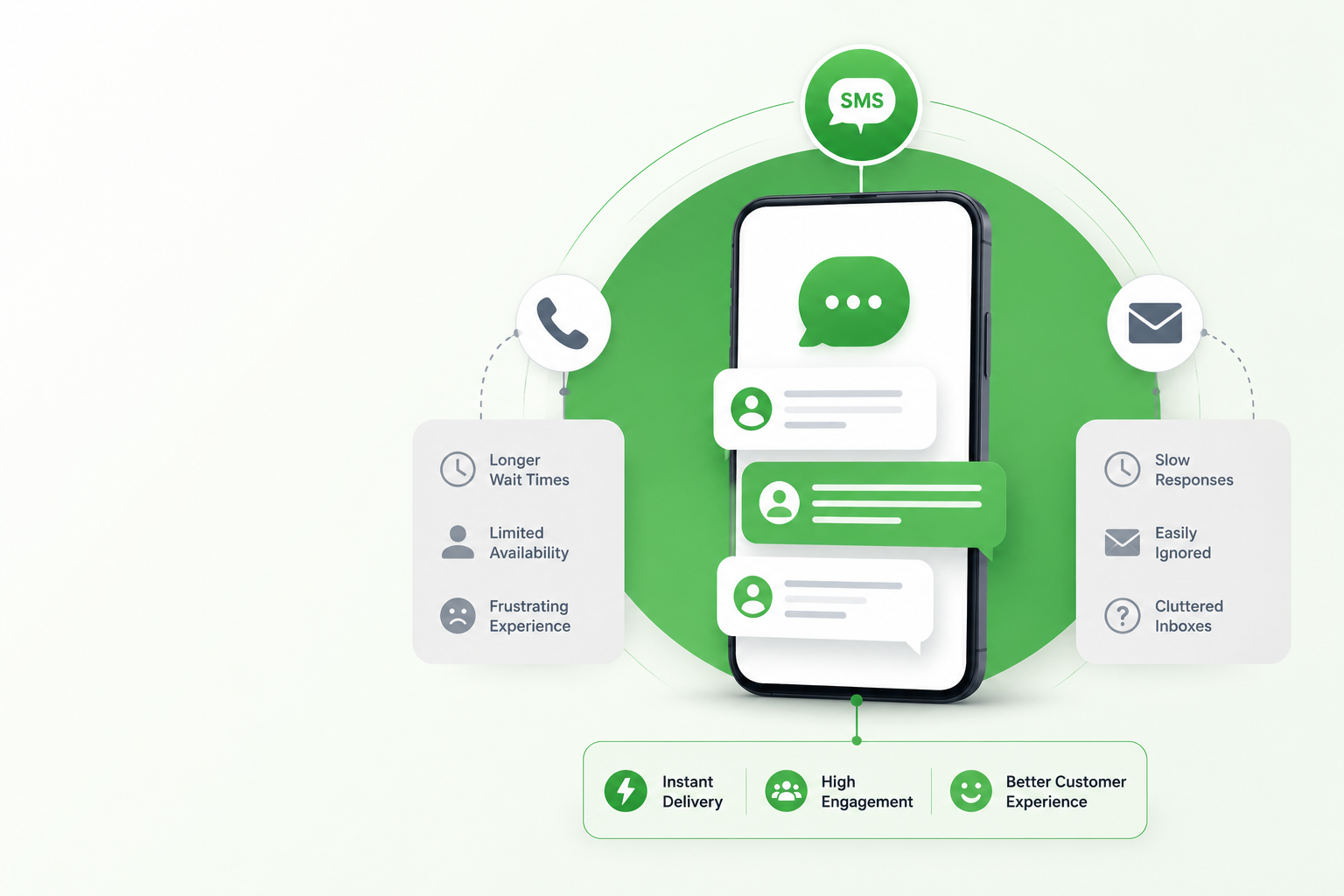
- SMS reminders land where customers already are. Texts reach the device people check most, so reminders sent 24 to 48 hours out beat voicemail and buried email for cutting no-shows and late payments.
- The no-show data backs it up. A 2016 randomized controlled trial (International Journal of Pediatrics, NIH/NLM) found adding a text to a voice reminder cut no-shows by 14.6 percentage points, and many practices that automate report reductions in the 30 to 40% range.
- Timing is a system, not a guess. Two messages for appointments (48 hours before, plus morning-of) and a three-message payment cadence (3 days before, due date, 3 days after) are the reliable defaults.
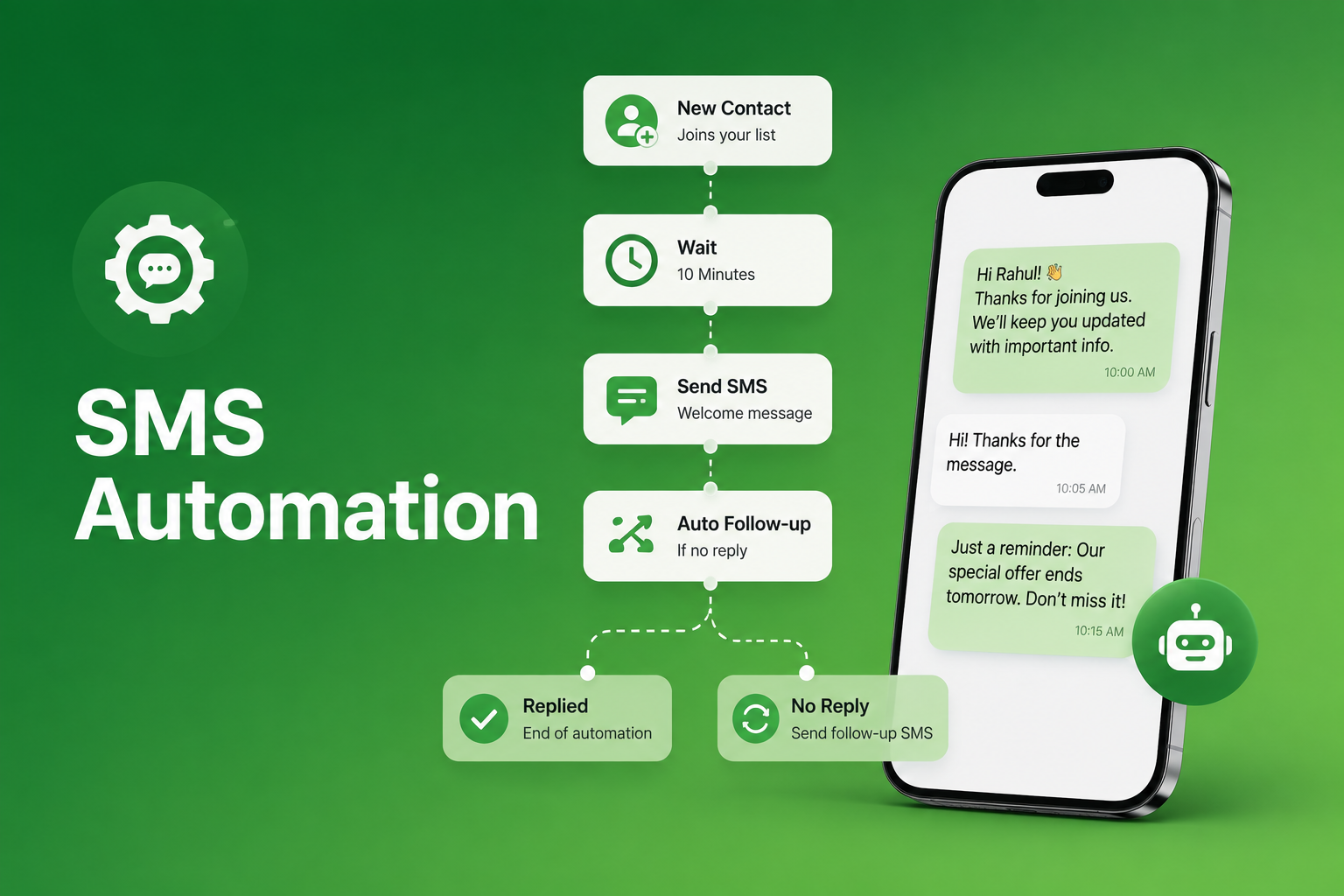
- Two-way texting does the follow-up for you. Letting customers reply YES, CONFIRM, or RESCHEDULE creates a written record and kills phone tag, while merge fields personalize every message at scale.
- Compliance is non-negotiable. TCPA requires prior written consent, a STOP opt-out in every message, and 10DLC registration to stay deliverable on carrier networks.
SMS reminders for businesses are among the most direct tools available to reduce no-shows and recover late payments across every appointment-based industry. Missed appointments are widely estimated to cost the U.S. healthcare system around $150 billion a year, and a 2025 QuickBooks Small Business Late Payments Report found that 56% of U.S. small businesses are owed money from unpaid invoices, averaging $17,500 per business. Phone calls go to voicemail. Emails get buried. A text lands on the device your customer already has open. Businesses using scheduled SMS messaging to automate their reminder workflows are recovering revenue that would otherwise disappear. This guide covers how to build a system that works for appointments, invoices, and recurring payments, with ready-to-use templates for each.
Why SMS Reminders for Business Outperform Every Other Channel
The core advantage of SMS reminders for businesses is that they reach customers where they already are, without requiring any additional action on their part.
A 2016 randomized controlled trial published in the International Journal of Pediatrics and indexed in the NIH’s National Library of Medicine found that adding a text message reminder to a standard voice reminder reduced no-show rates by 14.6 percentage points, dropping the intervention group from 38.1% to 23.5% no-shows. Many practices that automate their reminder systems report no-show reductions in the range of 30 to 40%. For payment reminders, research in behavioral science confirms that deadlines paired with pre-due reminders reduce forgetfulness and improve on-time collection rates, making a well-timed text before a due date more effective than a follow-up call after it has passed.
The mechanism is straightforward:
- Immediacy: Texts arrive on the device customers check most, making them ideal for reminders sent 24 to 48 hours before an appointment or invoice due date
- Confirmation capability: Two-way business texting lets customers reply YES to confirm or request a reschedule, eliminating phone tag and creating a written record
- Low friction: A customer can confirm, cancel, or pay by clicking a link in one tap, removing the effort barrier that causes silent no-shows
Business SMS Reminder Templates for Every Industry
The most effective SMS reminders for business are short, specific, and include a clear response option. Each template below follows a proven structure: identify the business, state the appointment detail, and give the customer one action to take. Keep every message under 160 characters for single-segment delivery. SendHub’s merge fields feature pulls first name, appointment time, and location directly from your contact database into every message automatically.
For a complete library of appointment confirmation text templates across healthcare, real estate, restaurants, auto dealers, and recruiting, the SendHub blog has 20 ready-to-use examples with the full three-message sequence.

Healthcare and Medical
Hi [First Name], this is [Practice Name] confirming your appointment with Dr. [Name] on [Date] at [Time]. Reply YES to confirm or RESCHEDULE to change.
Salon and Personal Services
Hi [First Name], your appointment at [Salon Name] is on [Date] at [Time] with [Stylist]. Reply CONFIRM to hold your spot or CANCEL to release it.
Real Estate
Hi [First Name], your showing at [Address] with [Agent Name] is confirmed for [Date] at [Time]. Reply YES to confirm or call [Phone] to reschedule.
Restaurants
[Restaurant Name]: Your reservation for [Party Size] on [Date] at [Time] is set. Reply CANCEL if plans change so we can seat another guest.
Small Business and Home Services
Hi [First Name], [Company Name] is scheduled for your [Service] on [Date] at [Time]. Reply CONFIRM or call [Phone] to reschedule.
Payment SMS Reminders for Business: Recovering Revenue Before It Goes Overdue
SMS reminders for business are equally effective for accounts receivable. The QuickBooks 2025 report found that unpaid invoices affect cash flow, delay payroll, and create unnecessary stress for the majority of small businesses carrying outstanding balances. The three-message framework below is a practical sequence for payment reminder campaigns:
3 Days Before Due Date
Hi [First Name], this is [Company Name]. Invoice #[Number] for $[Amount] is due on [Date]. Pay securely here: [Link]. Reply HELP for questions.
Due Date
Hi [First Name], your payment of $[Amount] to [Company Name] is due today. Pay now at [Link] or call [Phone] to discuss your account.
3 Days Overdue
Hi [First Name], we have not received your payment of $[Amount] due on [Date]. Please pay at [Link] or contact [Phone] to avoid a late fee.
Each message uses a professional tone. The goal is to resolve the payment without damaging the customer relationship. SMS notifications can be integrated with your billing system through SendHub’s API, triggering payment reminders automatically at each interval without manual effort from your team.
Timing and Frequency for SMS Reminders for Business
Sending at the right time matters as much as the message itself. The industry benchmark for appointment reminders is a two-message sequence: one 48 hours before and one on the morning of the appointment. For payment reminders, the recommended cadence is three days before the due date, on the due date, and three days after if unpaid.
Timing by business type:
- Healthcare and dental: 48-hour reminder plus morning-of; include a cancellation option to free the slot for waitlist patients
- Salons and personal services: 24 to 48 hours before; a single message is typically sufficient
- Real estate: 24 hours before; include property address and agent contact
- Restaurants: 2 to 4 hours before reservation; encourage early cancellation rather than silent no-shows
- Invoice-based businesses: 3 days before, on the due date, and 3 days after if unpaid
SendHub’s scheduled text messaging platform includes time zone support so reminders reach contacts at the correct local time. The platform also supports group messaging for batch reminder sends across contact groups within the same time window.
SMS reminders work across all appointment-driven verticals. SMS messaging for healthcare practices carries additional compliance requirements covered below. For service businesses in adjacent sectors, text messaging for restaurants, real estate text messaging, and SMS for small businesses each benefit from the same reminder infrastructure with minor template adjustments.
TCPA Compliance for Business SMS Reminder Campaigns
Every SMS reminder for business must comply with the Telephone Consumer Protection Act. The FCC’s TCPA guidelines require prior express written consent before sending automated text messages. Key requirements:
- Collect written consent at booking, checkout, or sign-up before sending any automated text
- Include a clear opt-out instruction in every message (Reply STOP to unsubscribe)
- Honor opt-out requests immediately and remove that contact from future sends
- Avoid sending messages outside 8 a.m. to 9 p.m. local time
Businesses must also register their messaging use case under the 10DLC framework. SendHub’s 10DLC texting infrastructure manages this registration, keeping campaigns compliant and deliverable on carrier networks. This blog provides factual compliance information only and does not constitute legal advice. Consult qualified legal counsel for guidance specific to your business.
How SendHub Powers SMS Reminders for Business
SendHub gives appointment-based businesses and billing teams a complete platform for automated reminder campaigns:
- Scheduled text messaging with time zone support so reminders land at the correct local time for every contact (Scheduled Text Messaging)
- Two-way texting allows customers to confirm, cancel, or request rescheduling by reply (Two-Way Texting)
- Merge fields for personalized reminders, including name, appointment time, and invoice amount at scale (Merge Fields)
- SMS templates for reusable reminder messages your team can deploy without drafting from scratch (Templates)
- SMS notifications connected to your billing or booking system for fully automated workflows (SMS Notifications)
- 10DLC registration support to keep reminder campaigns compliant on all carrier networks (10DLC Texting)
- Analytics and reporting to track confirmation rates and refine reminder timing from real data (Analytics and Reporting)
FAQ: SMS Reminders for Business
SMS reminders for business are automated text messages sent before a scheduled appointment or payment due date. Specifically, they reach customers on the device they use most, reducing no-shows and late payments at scale.
A 2016 randomized controlled trial published in the International Journal of Pediatrics (indexed by the NIH’s National Library of Medicine) found that adding text reminders to standard voice reminders cut no-show rates by 14.6 percentage points. Many practices that automate their systems also report reductions in the range of 30 to 40%.
The most effective sequence uses two messages: one 48 hours before and one on the morning of the appointment. Additionally, both messages should include an option for the customer to confirm or cancel.
Yes. Under the TCPA, prior express written consent is required before sending automated texts. Consequently, consent should be collected at the point of booking or sale and stored as a record.
A payment reminder SMS should include your business name, the amount owed, the due date, and a direct payment link. Furthermore, include a contact number for questions and a STOP opt-out instruction.
Yes. SendHub’s API connects your scheduling or billing system to automated SMS workflows, triggering reminders at pre-set intervals without manual sends. Moreover, the system supports CRM integration.
Two-way texting lets customers reply YES, CONFIRM, or RESCHEDULE directly to a reminder. Furthermore, this creates a confirmation record and frees your team from follow-up calls on unconfirmed appointments.
Appointment logistics texts that do not include protected health information can typically be sent via a standard compliant SMS platform. However, any message containing clinical details requires a HIPAA-compliant workflow. Consult your compliance team before deploying.
Healthcare, dental, salons, real estate, restaurants, home services, recruiting, and any business with scheduled appointments or recurring invoices benefit directly. Moreover, the same reminder infrastructure applies across each vertical with minor template adjustments.
A three-message sequence works consistently: three days before the due date, on the due date, and three days after if unpaid. Additionally, escalating the tone slightly at each stage while maintaining a professional tone improves response rates.
Yes. Merge fields automatically pull first name, appointment time, location, or invoice amount from your contact database into every message. This personalization improves confirmation rates without adding any manual work to your team’s process.