
Most event invitations arrive and get forgotten. An email sits unread in an inbox drowning in promotional noise. A paper invitation gets set aside and never found again. Even a social media post disappears within hours beneath the weight of everything else competing for attention.
Text message invitations are different. According to CTIA, SMS carries a 98% open rate and the vast majority of messages are read within 3 minutes of delivery. According to Eventbrite, events promoted via SMS see significantly higher registration completion rates than those promoted by email alone. In 2026, as event organisers increasingly replace email with text as their primary invitation channel, the question is not whether to use SMS invitations. It is how to make them stand out.
Key Takeaways
- Text invitations get read fast (around a 98% open rate) and drive higher RSVP rates than email.
- Include the who, what, when, and where, plus a clear RSVP method and a calendar or map link.
- Personalize each invite and send it at a convenient time of day.
- Get opt-in consent and include opt-out to stay TCPA-compliant.
Why Text Message Invitations Outperform Email and Paper in 2026
- Immediate visibility: SMS messages are read within minutes compared to hours or days for email
- No spam filter risk: Text invitations land in the messaging app, not a promotions folder
- Universal reach: Every guest with a mobile phone can receive your invitation regardless of which apps they use
- Two-way capability: Guests can RSVP, ask questions, and confirm attendance in the same thread
- Higher response rates: According to Salesforce Research, SMS generates response rates up to 209% higher than phone calls
Understanding why SMS outperforms email for business communication reinforces why forward-thinking event organisers have made text the primary invitation channel rather than the backup.
Text Message Invitation Ideas That Drive RSVPs
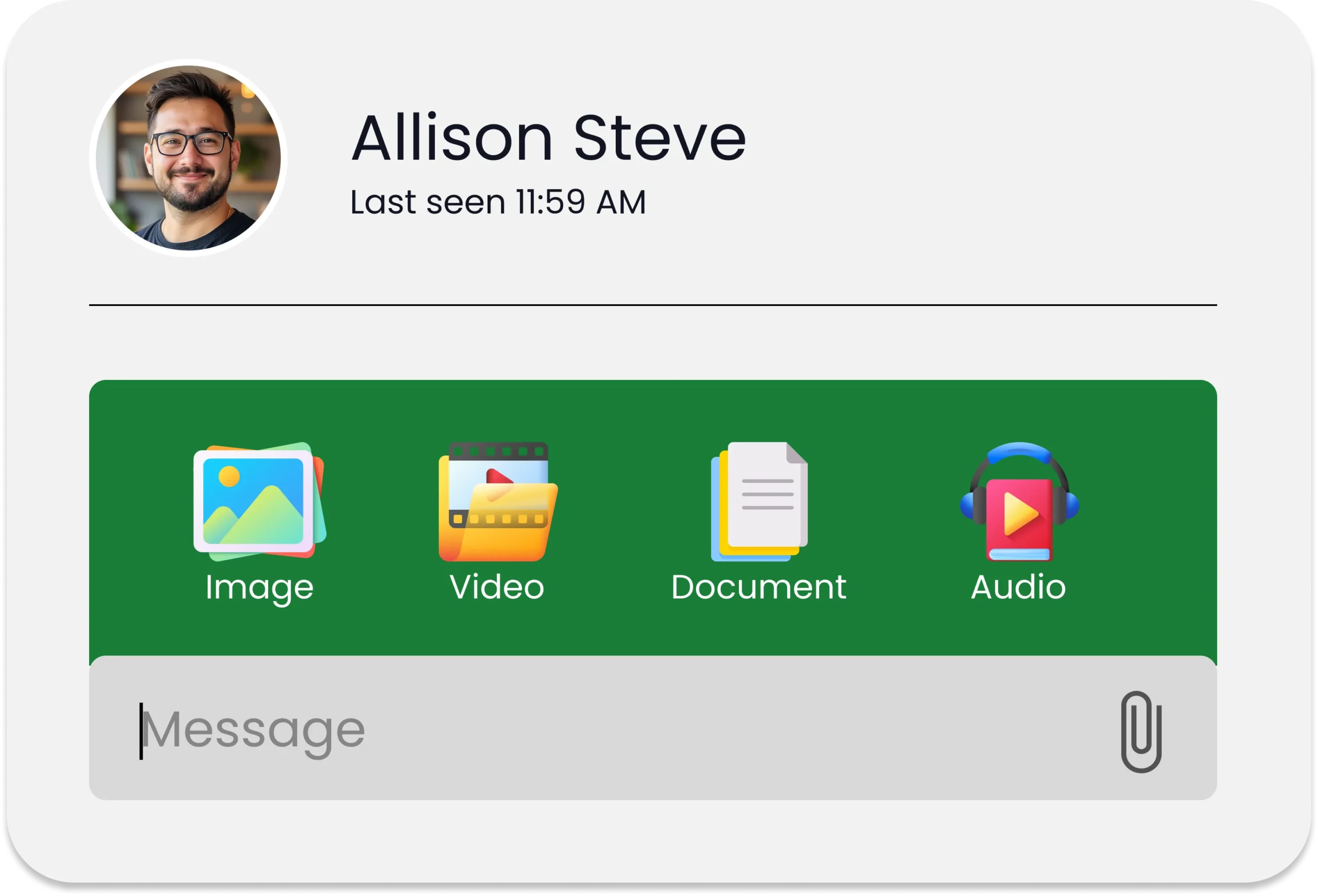
Use MMS to Send a Visual Invitation Card MMS allows you to attach a designed invitation card, branded event graphic, GIF countdown, or short video teaser alongside your message. SMS and MMS messaging with visual content generates up to 3x higher engagement than text-only messages, making MMS the natural upgrade for events where first impressions matter.
Personalise Every Invitation With Merge Fields A generic mass invitation feels like a broadcast. A personalised invitation feels like a genuine request. Merge fields pull each guest’s first name, specific role, or assigned seat into every message automatically, making hundreds of invitations feel individually written.
Create a Countdown Sequence A single invitation sent and forgotten is a missed opportunity. A well-timed sequence builds anticipation without becoming intrusive. Scheduled text messaging lets you set the entire sequence in advance:
- Initial invitation sent 3 to 4 weeks before with full event details: “Hi [First Name], you are invited to [Event Name] on [Date] at [Time], [Venue]. Reply YES to confirm your spot.”
- Early bird reminder 2 weeks before for limited-capacity events
- One-week reminder with a teaser detail guests can look forward to
- Day-before confirmation with logistics, parking, and arrival instructions
Use a Keyword RSVP System Give guests a single word to reply with. A keyword RSVP removes the barrier between receiving an invitation and confirming attendance. Anyone who replies YES, ATTEND, or a custom keyword is logged automatically and receives an instant confirmation.
Add Exclusivity and Urgency Invitations that feel exclusive generate stronger response rates. Language that signals limited capacity creates urgency that motivates action:
- “You are one of 50 guests invited to [Event Name]”
- “This is a private event and your name is on the list”
- “Spots are limited and we have reserved one for you”
Segment Your Guest List Mass texting lets you send tailored versions of your invitation to VIP guests, general attendees, press, and partners. Same event, different experience, each feeling personal and relevant to the recipient.
Text Message Invitation Templates by Occasion: 30 Ready-to-Use Examples
SMS invitations get read faster than emails but only when the message is right. These 30 ready-to-use templates take the guesswork out of every occasion, giving you a polished, reply-worthy invitation for any event in seconds.
Corporate Event Text Message Invitation Templates
1. Corporate Conference “Hi [First Name], you are invited to [Company] Annual Conference on [Date] at [Time], [Venue]. Theme: [Theme]. Reply CONFIRM to reserve your place.”
2. Product Launch “[First Name], [Product Name] launches on [Date] and you are on the exclusive preview list. Join us at [Venue] at [Time]. Reply YES to confirm.”
3. Networking Event “Hi [First Name], join us for an evening of networking at [Event Name] on [Date], [Time] at [Venue]. Reply ATTEND to confirm your spot.”
4. Team Building Day “Hi [First Name], [Company Name] team building day is on [Date] at [Venue]. Something special is planned. Reply YES to confirm you will be joining us.”
5. Awards Ceremony “[First Name], you are cordially invited to [Event Name] Awards on [Date] at [Time], [Venue]. Dress code: [Dress Code]. Reply RSVP to reserve your seat.”
6. Business Anniversary “Hi [First Name], [Company Name] is celebrating [Number] years and we want you there. Join us on [Date] at [Time], [Venue]. Reply CELEBRATE to confirm.”
Restaurant and Hospitality SMS Invitation Templates
7. Restaurant Grand Opening “[First Name], [Restaurant Name] opens its doors on [Date] and you are invited to our exclusive preview evening. [Time], [Address]. Reply OPEN to confirm your place.”
8. Private Dining Event “Hi [First Name], you are invited to an exclusive private dining experience at [Restaurant Name] on [Date] at [Time]. Limited to [Number] guests. Reply DINE to reserve your seat.”
9. Wine or Tasting Event “[First Name], join us for an evening of [Wine/Food] tasting at [Venue] on [Date] at [Time]. Limited spots available. Reply TASTE to secure your place.”
10. Chef’s Table Evening “Hi [First Name], [Chef Name] invites you to an exclusive Chef’s Table experience on [Date] at [Time] at [Restaurant]. Only [Number] seats. Reply BOOK to reserve yours.”
Wedding and Personal Celebration Text Invitation Templates
11. Birthday Party “Hi [First Name], you are invited to celebrate [Name]’s [Age] birthday on [Date] at [Time], [Venue]. Reply YES to confirm you will be there.”
12. Surprise Party “[First Name], shhh! We are throwing a surprise party for [Name] on [Date] at [Time], [Address]. Do not tell [Name]. Reply SECRET to confirm you are in.”
13. Wedding “[First Name] and [Guest Name], [Couple Names] request the pleasure of your company at their wedding on [Date] at [Time], [Venue]. Reply RSVP by [Date] to confirm.”
14. Engagement Party “Hi [First Name], [Names] are engaged and we are celebrating. Join us on [Date] at [Time], [Venue]. Reply CHEERS to confirm your spot.”
15. Baby Shower “Hi [First Name], please join us for a baby shower celebrating [Name] on [Date] at [Time], [Venue]. Reply YES to confirm you will be there.”
16. Graduation Party “[First Name], [Name] graduated and we are celebrating in style. Join us on [Date] at [Time], [Venue]. Reply CONGRATS to confirm your attendance.”
17. Housewarming “Hi [First Name], we moved and we want you to see the new place. Housewarming on [Date] at [Time], [Address]. Reply COMING to confirm.”
18. Holiday Party “[First Name], [Company/Family Name] holiday party is on [Date] at [Time], [Venue]. Food, drinks, and good company guaranteed. Reply CELEBRATE to confirm.”
19. Reunion “Hi [First Name], the [School/Family/Group] reunion is finally happening. [Date], [Time], [Venue]. It has been too long. Reply ATTENDING to confirm your spot.”
Charity and Nonprofit Text Invitation Templates
20. Fundraising Gala “[First Name], you are invited to [Organisation Name] Annual Gala on [Date] at [Time], [Venue]. Your presence supports [Cause]. Reply ATTEND to reserve your seat.”
21. Charity Auction “Hi [First Name], join us for [Organisation Name] Charity Auction on [Date] at [Time], [Venue]. All proceeds go to [Cause]. Reply BID to confirm attendance.”
22. Community Fundraiser “[First Name], [Organisation Name] is hosting a community fundraiser on [Date] at [Venue]. Come and make a difference. Reply YES to confirm.”
Retail and Brand SMS Event Invitation Templates
23. VIP Shopping Event “Hi [First Name], as a valued customer you are invited to our exclusive VIP shopping evening on [Date] at [Time], [Store]. Early access, special offers, and refreshments. Reply VIP to confirm.”
24. Store Anniversary Sale “[First Name], [Store Name] is turning [Number] and we are celebrating with you. Join our anniversary event on [Date] at [Time], [Address]. Reply PARTY to confirm.”
25. Brand Experience Event “Hi [First Name], [Brand Name] invites you to an exclusive brand experience on [Date] at [Time], [Venue]. Be among the first to see what we have been working on. Reply ACCESS to confirm.”
Sports, Fitness, and Wellness Text Invitation Templates
26. Gym or Fitness Event “Hi [First Name], [Gym Name] is hosting [Event Name] on [Date] at [Time]. Join us for [Activity]. Spots are limited. Reply FIT to confirm your place.”
27. Sports Day or Tournament “[First Name], you are invited to [Organisation] [Sport] Day on [Date] at [Venue]. Kick-off at [Time]. Reply PLAY to confirm your team is in.”
Religious and Cultural Celebration Text Invitation Templates
28. Church or Community Event “Hi [First Name], [Church/Organisation Name] invites you to [Event Name] on [Date] at [Time], [Venue]. All are welcome. Reply ATTEND to confirm your attendance.”
29. Cultural Festival or Celebration “[First Name], you are invited to celebrate [Festival/Event Name] with [Organisation] on [Date] at [Time], [Venue]. Reply JOIN to confirm you will be joining us.”
Educational and Professional Development Invitation Templates
30. Webinar, Workshop, or Training “Hi [First Name], your place is reserved for [Event Name] on [Date] at [Time]. Hosted by [Speaker/Trainer Name]. Reply REGISTER to confirm and receive your pre-event materials.”
How SendHub Powers Text Message Invitations at Scale
SendHub gives event organisers and businesses the tools to send text message invitations professionally and at scale:
- MMS support for sending visual invitation cards, event graphics, and teaser videos alongside message text
- Merge fields personalising every invitation with guest names and custom details automatically
- Scheduled messaging setting the full invitation sequence to go out at precisely the right intervals without manual sends
- Keyword RSVP management tracking responses and triggering confirmation messages instantly
- Group messaging segmenting guest lists and sending tailored invitations from one platform
- Two-way SMS managing guest questions and logistical enquiries in a shared team inbox
- Bulk SMS reaching large guest lists in a single send with each reply opening a private thread
Compliance: Sending Text Message Invitations Legally
Before sending text message invitations at scale, compliance with theTelephone Consumer Protection Act is essential:
- Explicit opt-in consent from every guest before sending marketing or promotional messages
- Clear identification of the sender in every message
- Immediate opt-out processing when a recipient replies STOP
- Stored consent records retained for audit purposes
Understanding what opt-in means in text messaging is particularly important for businesses sending event invitations to customer or prospect lists. SendHub’s built-in consent tracking and opt-out management handles all of this automatically.
Conclusion
In 2026, text message invitations are the highest-engagement invitation channel available, combining universal reach with personalisation, visual content, automated RSVP management, and real-time two-way communication. The 30 templates and ideas in this guide give your events a meaningful head start before the first guest even arrives.
Frequently Asked Questions
Yes, text message invitations have a 98% open rate and generate significantly higher response rates than email, making SMS one of the most effective channels for driving RSVPs and attendance.
A strong text invitation includes the guest’s name, event name, date, time, venue, a clear RSVP instruction, and a response deadline. MMS allows you to add a visual invitation card alongside the text.
The simplest method is a keyword RSVP system where guests reply with a single word such as YES or ATTEND. The response is logged automatically and a confirmation message is triggered instantly.
Send the initial invitation 3 to 4 weeks before, a reminder one week before, and a confirmation the day before. A well-timed sequence builds anticipation and reduces no-shows significantly.
Yes. Merge fields automatically pull each guest’s name and relevant details into every message, so personalised invitations can be sent to hundreds or thousands of guests simultaneously.
Yes, provided recipients have explicitly opted in to receive messages. Under TCPA regulations, sending unsolicited marketing messages without consent carries penalties of up to $1,500 per message.